How to change the User-Agent in Chrome
Three ways to make Chrome send a different User-Agent: DevTools for one tab, a launch flag for a whole session, or an extension rule for chosen sites.
Last updated 8 October 2026
You want to see the mobile version of a site, check how your server handles a crawler, or reproduce a bug a user reported from another browser. Each of these needs Chrome to send a different User-Agent. Which method fits depends on how long you need it and on which sites.
1. DevTools, for one tab
- Open DevTools (Cmd+Option+I on a Mac, Ctrl+Shift+I on Windows and Linux).
- Open the ⋮ menu, then More tools > Network conditions.
- Under User agent, untick Use browser default and pick a browser from the list, or type your own string.
It changes both the header and navigator.userAgent, but only in that tab and only while DevTools stays open (Chrome DevTools docs). For a phone, device mode (the phone-and-tablet icon in DevTools) also sets the screen size and touch.
2. A launch flag, for a whole session
Chrome accepts a --user-agent flag at startup, and every tab in that session uses it. Start it with a separate profile so your normal windows aren't affected. On a Mac:
open -na "Google Chrome" --args --user-data-dir=/tmp/ua-test --user-agent="Mozilla/5.0 (iPhone; CPU iPhone OS 18_0 like Mac OS X)"
Useful for an automated or one-off test, but awkward for everyday browsing.
3. An extension rule, for chosen sites
A header editor can set User-Agent on every request to the sites you pick, with no DevTools open, and keep it until you switch the rule off. In Headerlane:
- Click New rule and type the host, such as
m.example.com, or leave it empty for all sites. - Add a header named
User-Agentand paste the string you want. - Click Allow it in the banner and confirm Chrome's prompt. The rule runs only on sites you've allowed.
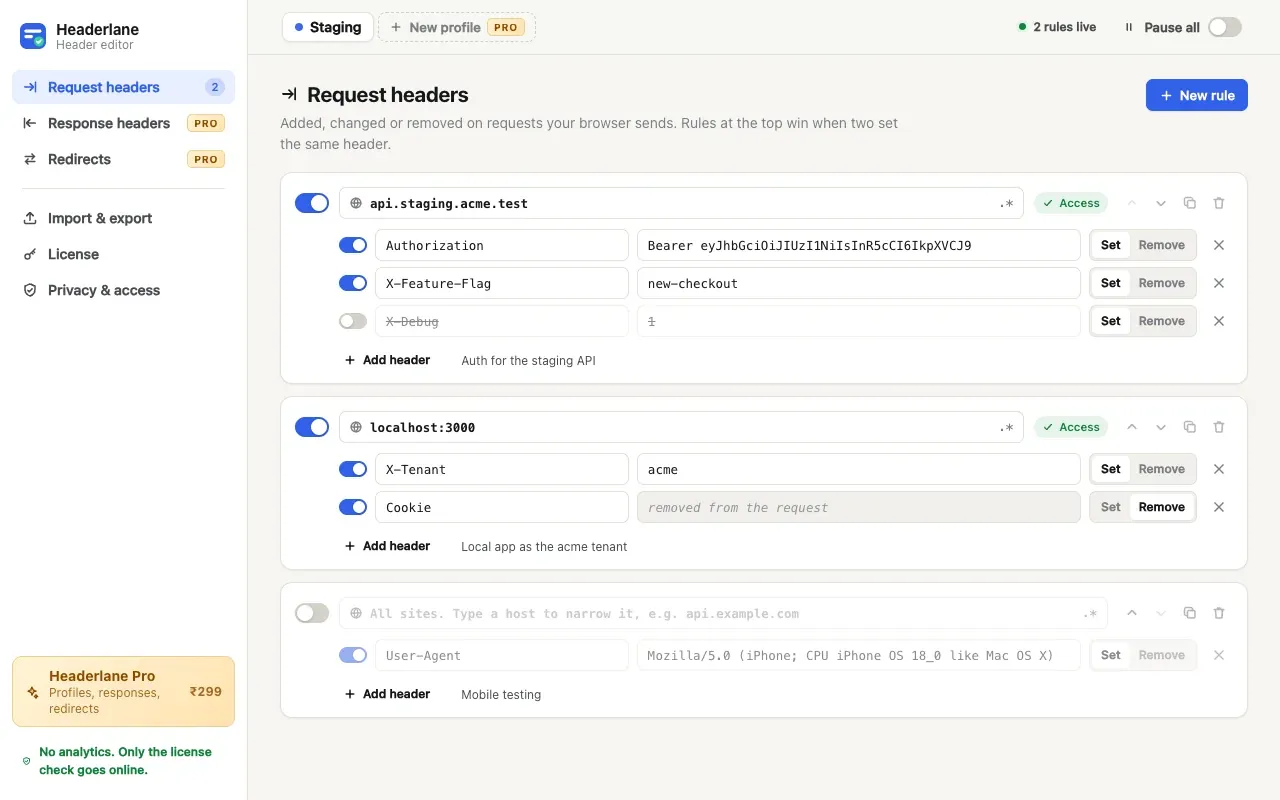
An extension changes what the server receives, not what the page's scripts read: navigator.userAgent still reports Chrome. Chrome also sends client hints, so for a convincing mobile request set these too:
Sec-CH-UA-Mobile:?1Sec-CH-UA-Platform:"Android"(with the quotes)
Which one fits
- DevTools to look at one page as another device, including its layout.
- The launch flag for a test run where every request must carry the string.
- An extension when a server should see a different User-Agent for days, on some sites, while you browse normally.
For other headers, such as auth tokens or feature flags, see how to set request headers in Chrome.
Questions
- Does changing the User-Agent header change navigator.userAgent?
- Only with DevTools or the launch flag. An extension rule changes the header the server receives. Scripts on the page still read Chrome's real value from navigator.userAgent.
- Why does a site still treat me as desktop Chrome?
- Chrome also sends client hints such as Sec-CH-UA-Mobile and Sec-CH-UA-Platform, and sites can check screen size. Set the hints to match the User-Agent, or use DevTools device mode, which changes the screen size too.
- Is a User-Agent rule free in Headerlane?
- Yes. Request-header rules, including User-Agent and client hints, are in the free version.
A header editor you don't have to trust blindly.
A Chrome extension that sets, changes or removes HTTP headers per URL pattern. No analytics, no server, site access asked per site. Imports ModHeader exports.
Add to Chrome