Take Shorts off YouTube, and keep them off.
A Chrome extension for parents. It removes YouTube Shorts from your kid's browser and locks the settings behind your PIN, so switching it off isn't one click away.
What it does
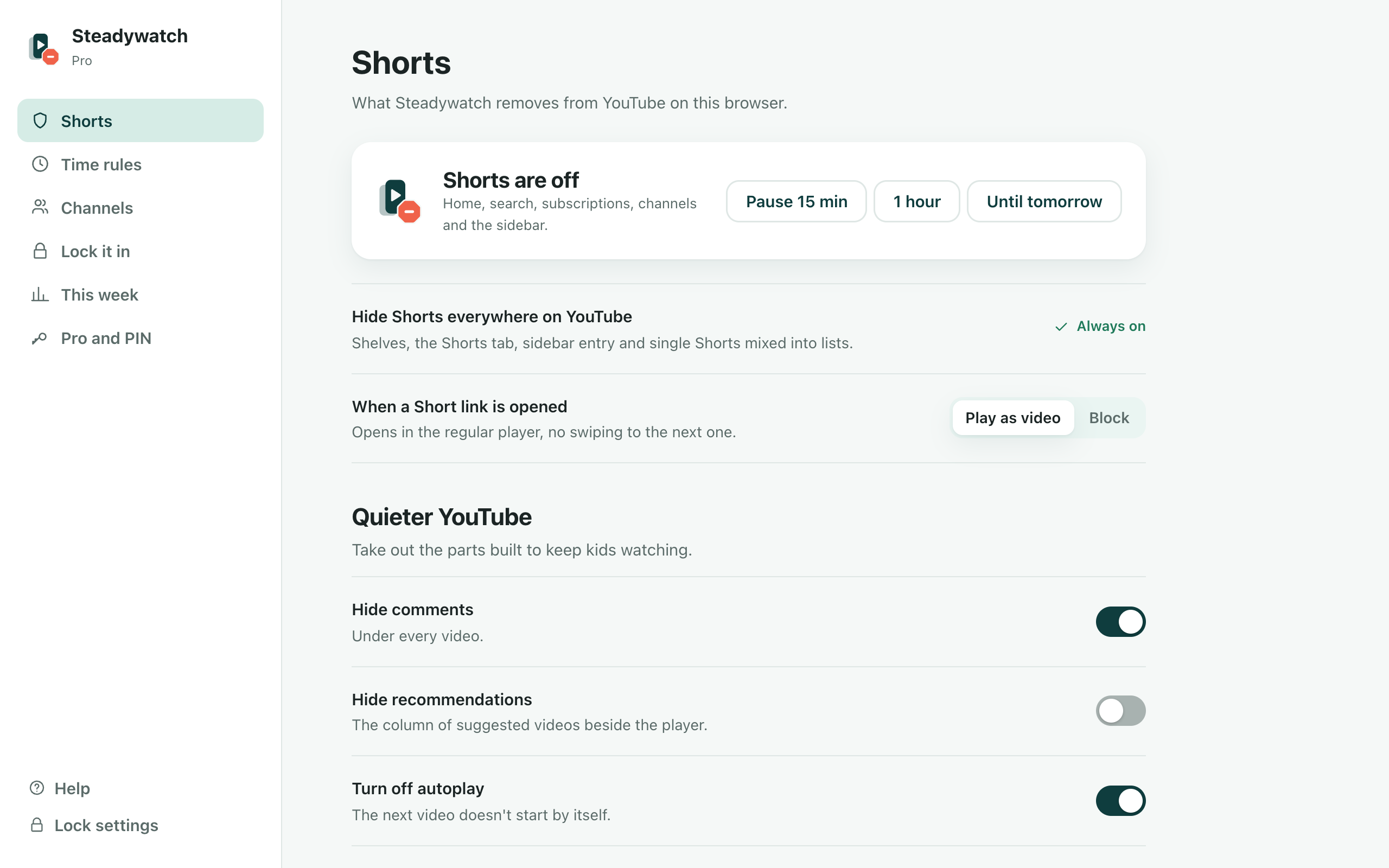
Shorts gone everywhere
The home shelf, the sidebar, search results, subscriptions and the channel Shorts tab, hidden before the page paints. A Shorts link opens as a normal video, or shows a calm “Shorts are off here” page, your choice.
Parent PIN
Settings, pausing and turning anything off all need your PIN, and settings lock again after 5 idle minutes. Your kid sees only “Shorts are off on this browser”.
One-minute setup
Choose a PIN, pick what a Shorts link does, done. No account to create.
Lock it in Pro
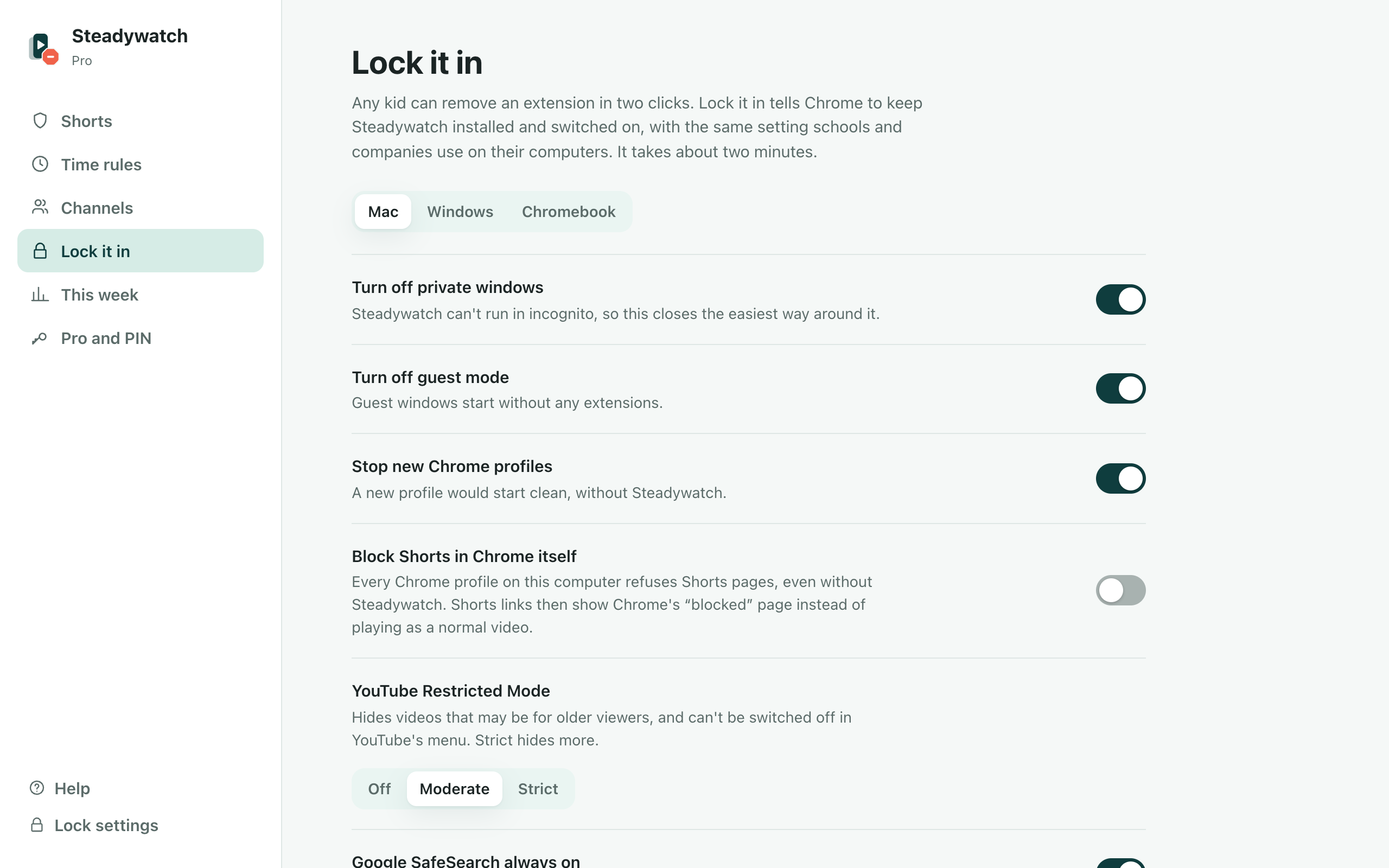
A guided setup that tells Chrome to keep Steadywatch installed and switched on, using Chrome's own policy (the setting schools use on their computers): a Mac profile, a Windows policy file, or Family Link steps on a Chromebook. It can also turn off private windows, guest mode and new profiles, and checks that it worked.
Shorts blocked in Chrome itself Pro
Part of Lock it in: Chrome refuses Shorts pages in every profile on the computer, and YouTube Restricted Mode and Google SafeSearch stay on.
Time rules for the whole week Pro
One limit for school days, another for weekends, homework hours and bedtime, with a friendly page when time's up.
Approved channels only Pro
YouTube plays only the channels you added. Everything else is hidden from home and search and won't play.
Quieter YouTube Pro
Hide comments, recommendations, end screens and YouTube's games, turn off autoplay, and block channels or keywords.
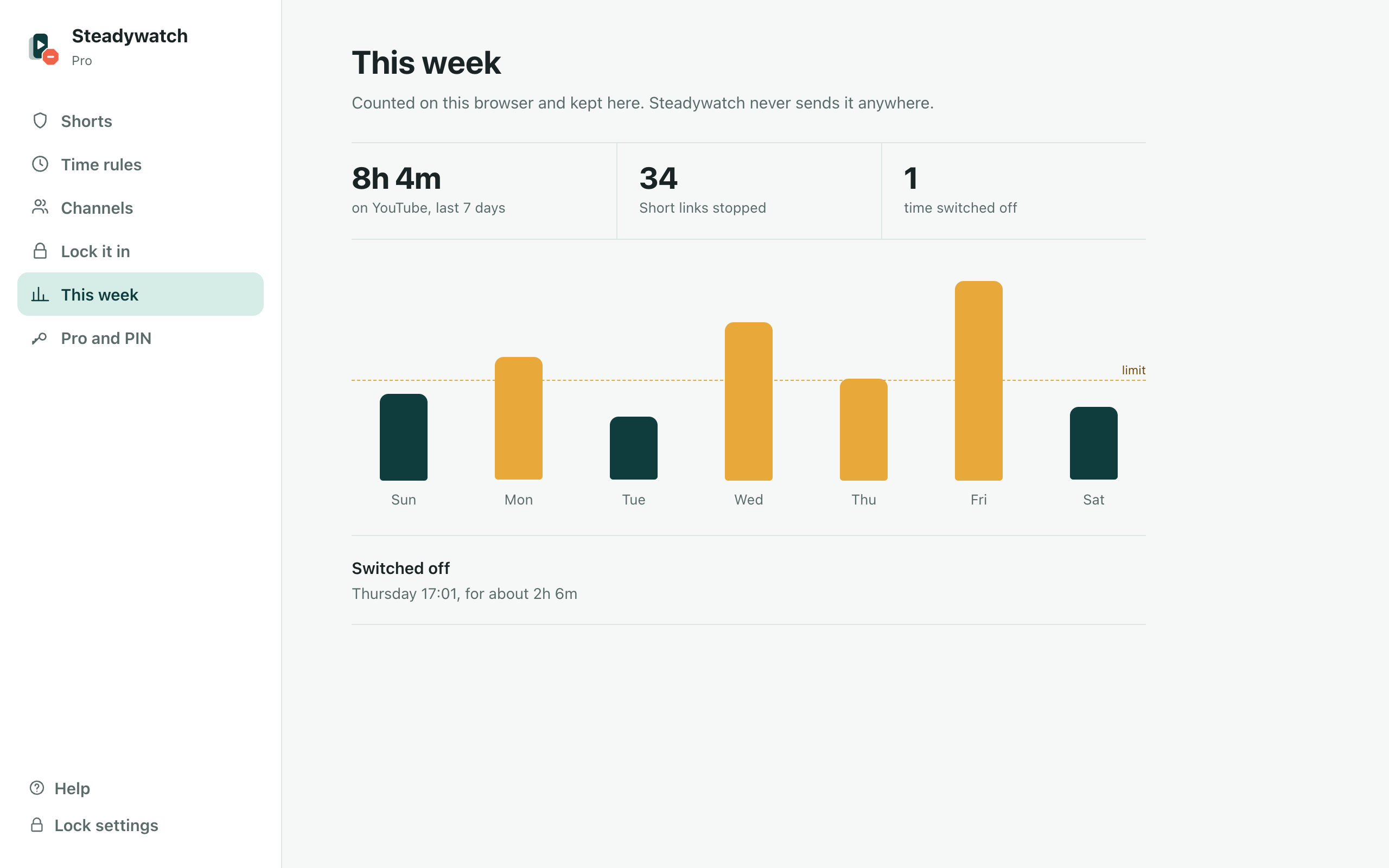
This week Pro
Time on YouTube per day, Short links stopped, and any time Steadywatch was switched off. Behind your PIN, kept on the computer.
Free for the core job. Pay once for more.
The core job
FreeNo account, no time limit, no card.
- Shorts gone everywhere
- Parent PIN
- One-minute setup
Pro, pay once
₹399₹999One payment. No subscription, no account. One license covers the family: up to 5 browsers. Every Pro feature is on free for the first 3 days, no card or email.
- Everything in Free
- Lock it in
- Shorts blocked in Chrome itself
- Time rules for the whole week
- Approved channels only
- Quieter YouTube
- This week
Checkout opens when Steadywatch launches.
Checkout by Lemon Squeezy. Lost your key? Email us.
Sends nothing about you
Steadywatch never sends what your kid watches, searches or does anywhere. The only request it makes is the Pro license check: when you activate a key, and at most once a week after, it sends the key to Lemon Squeezy (who sells it) to confirm it's still valid. Free use sends nothing at all. Its Buy buttons open aisssoftware.com/go/steadywatch/buy, which counts the click (where in Steadywatch, and whether the trial was on; no cookie, no ID) and forwards you to checkout. If Steadywatch is removed, Chrome opens a short "what went wrong?" page on this site.
Settings, the PIN (salted and hashed, never stored as typed) and the weekly numbers are kept in Chrome's storage for the extension, on that computer. Removing the extension removes them.
What it asks Chrome for, and why
- youtube.com. To hide Shorts on YouTube pages. It runs on YouTube and nowhere else.
- Declarative net request. To send Shorts links to the normal player, or block them, before they load, without reading your traffic.
- Storage. To keep your settings, the PIN (as a salted hash) and the weekly numbers in the browser.
- Alarms. To time the daily limit, bedtime hours and pauses.
- api.lemonsqueezy.com. Only to check a Pro license key. Free use never contacts it.
What it can’t do
- Chrome on a computer only for now; a Safari version is planned.
- It can't reach the YouTube app on phones, tablets or TVs, or YouTube Kids (a separate app and site). Use Screen Time or Family Link there.
- It doesn't run in private (incognito) windows. Lock it in can turn those off.
- Without Lock it in, a kid who knows how can remove an extension or use another browser. Lock it in closes that on computers where your kid uses a standard (non-admin) account.
Questions
Something else? Support has the email, lost keys and refunds.