
A header editor you don't have to trust blindly.
A Chrome extension that sets, changes or removes HTTP headers per URL pattern. No analytics, no server, and site access asked one site at a time. Imports ModHeader exports.
What it does
Request header rules
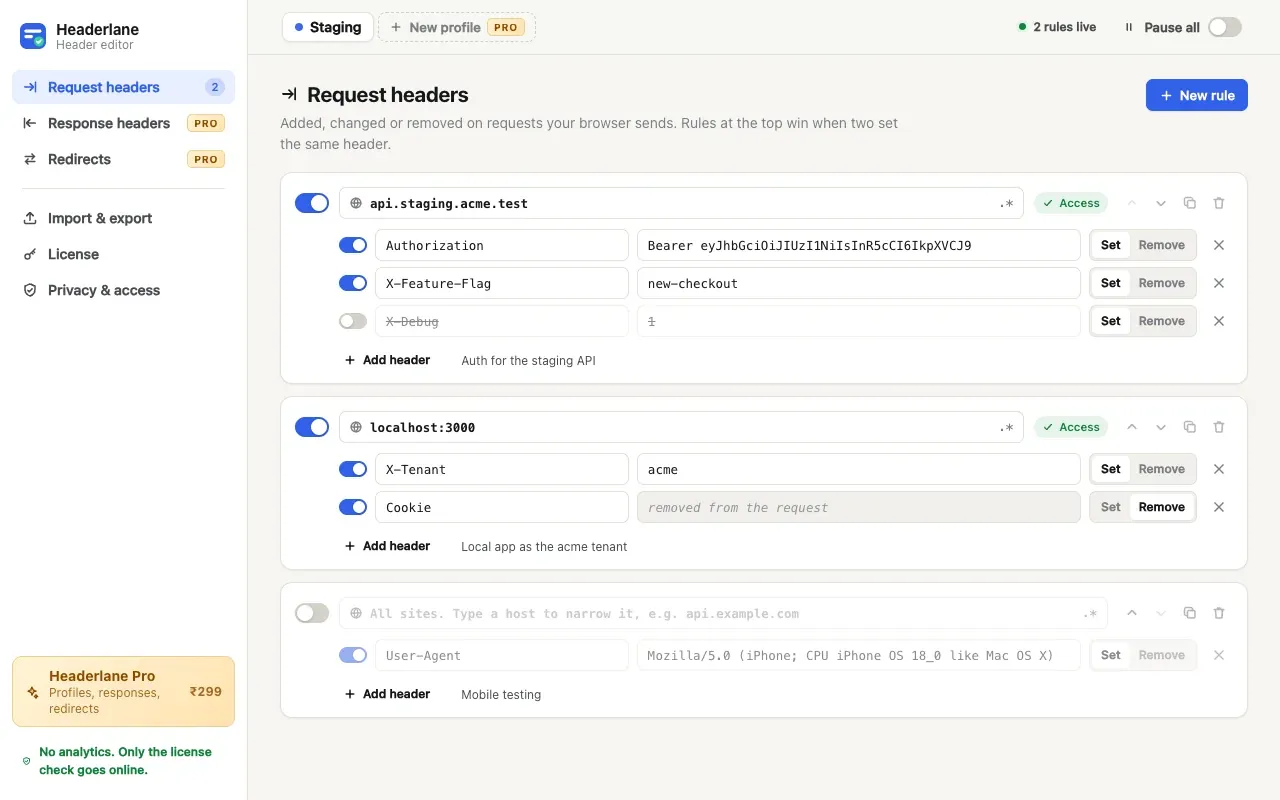
Set or remove any header Chrome allows on requests to a host, a path, or a regular expression. Add an Authorization token for staging, a feature flag for localhost, or a mobile User-Agent. No limit on rules beyond Chrome's own.
A switch for everything
Every rule and every header has its own switch, and Pause all turns everything off at once.
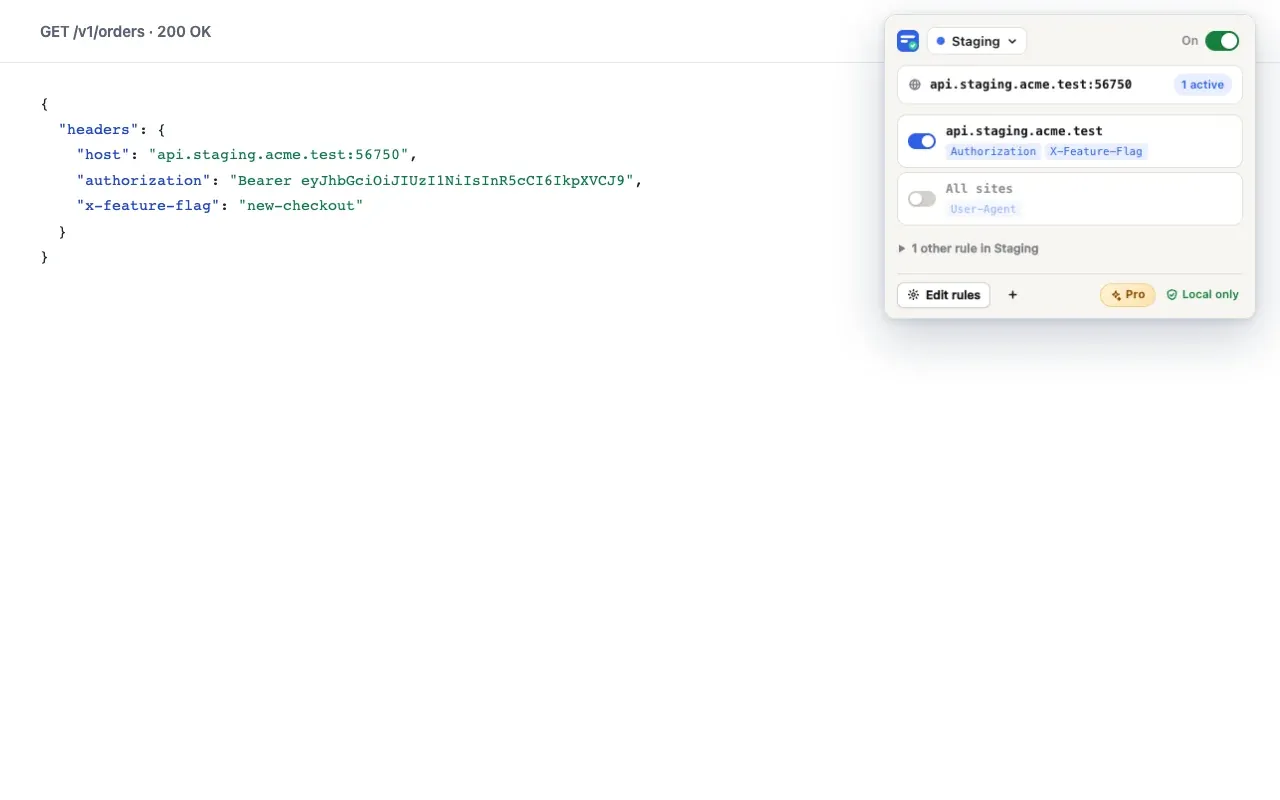
See what applies here
The toolbar badge counts the rules active on the tab you're on, and the popup lists them so you can switch one off.
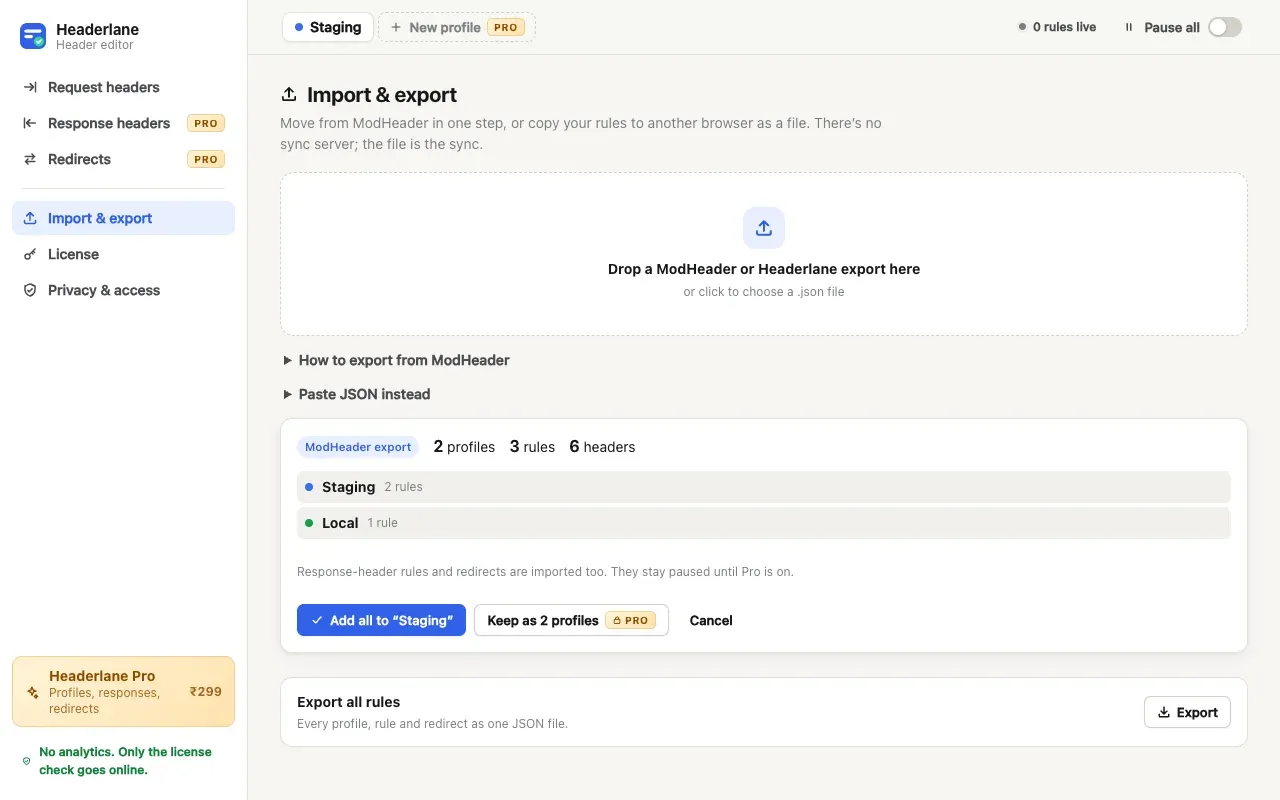
ModHeader import
Drop a ModHeader export file in and check the preview: profiles, rules and headers come across, and anything Headerlane can't do yet is named, not dropped silently.
Export and import
All your rules as one JSON file, to copy to another browser or a teammate. There's no sync server; the file is the sync.
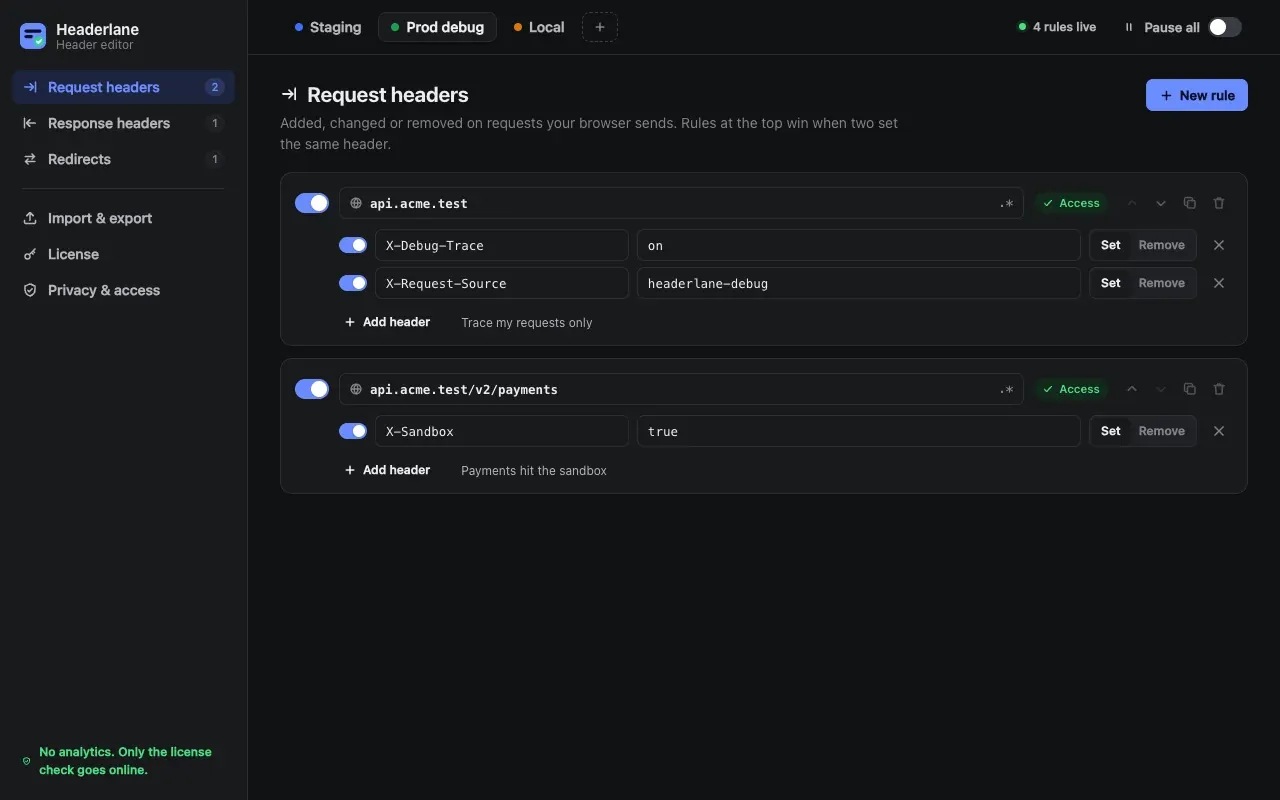
Profiles Pro
Keep staging, prod debug and local setups apart and switch in one click, from the popup, or with Alt+Shift+P.
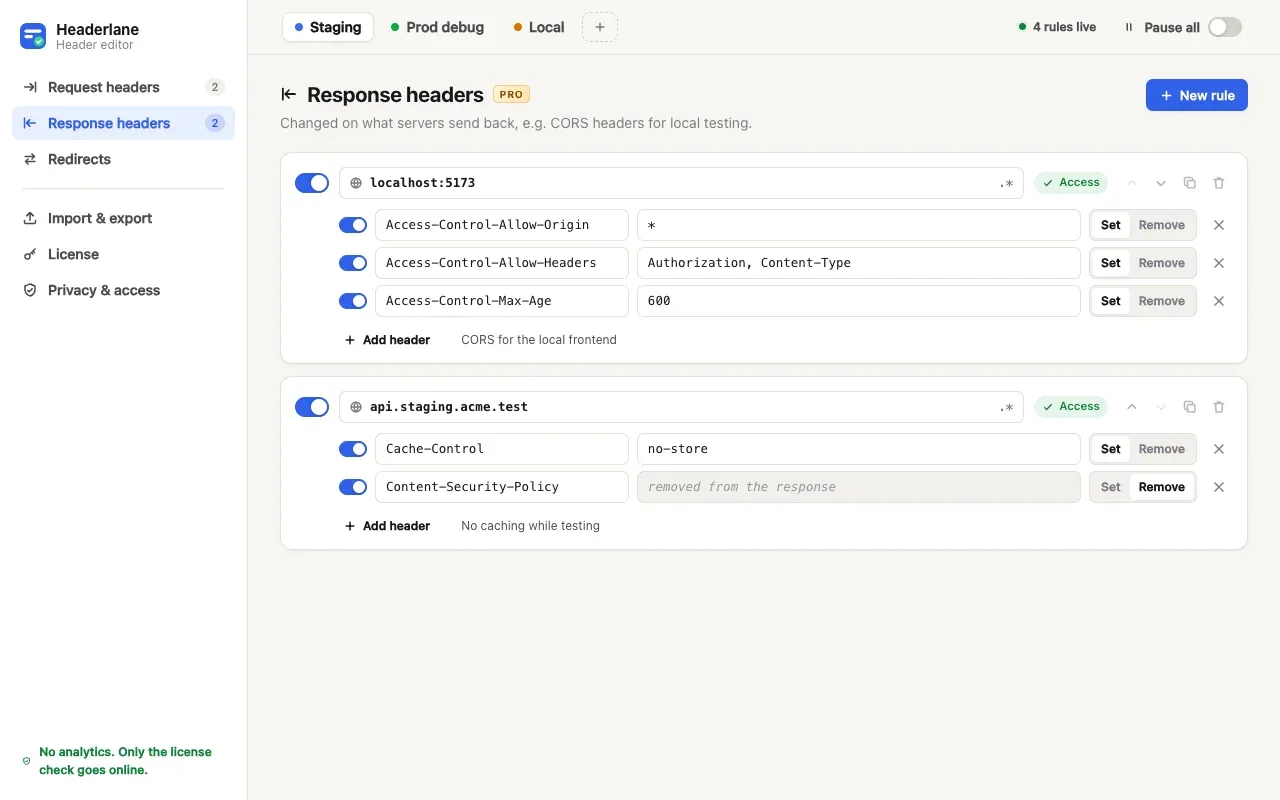
Response headers Pro
Change what the server sends back, such as CORS headers for a local frontend, or remove Content-Security-Policy while testing.
Redirects Pro
Send a request somewhere else before it leaves the browser, such as production JavaScript to localhost. Regular expressions with capture groups work.
Free for the core job. Pay once for more.
The core job
FreeNo account, no time limit, no card.
- Request header rules
- A switch for everything
- See what applies here
- ModHeader import
- Export and import
Pro, pay once
₹299₹799One payment. No subscription, no account. One license activates on up to 3 browsers. Every Pro feature is on for the first 3 days after install, with no card or email.
- Everything in Free
- Profiles
- Response headers
- Redirects
Checkout opens when Headerlane launches.
Checkout by Lemon Squeezy. Lost your key? Email us.
Sends nothing about you
Headerlane has no server and no analytics, and it can't read your traffic: Chrome applies the rules. The only request it makes is the Pro license check: when you activate a key, when you press Check now, and at most once a week after, it sends the key to Lemon Squeezy (who sells it) to confirm it's still valid. Free use sends nothing at all. Its Buy buttons open aisssoftware.com/go/headerlane/buy, which counts the click (where in Headerlane, and whether the trial was on; no cookie, no ID) and forwards you to checkout. If Headerlane is removed, Chrome opens a short "what went wrong?" page on this site.
Rules, profiles and the license state are kept in Chrome's storage for the extension, on that computer. Export them as JSON any time. Removing the extension removes them.
What it asks Chrome for, and why
- Site access, one site at a time. Chrome only changes headers on sites an extension can access. Headerlane asks for each rule's site when you add the rule. Nothing is granted for all sites at install.
- Declarative net request. Hands your rules to Chrome, which applies them. Headerlane never reads your requests, responses or pages.
- Active tab. When you click the toolbar icon, reads the tab's address to show which rules match it. Nothing is read from the page.
- Storage. Keeps your rules, profiles, the trial start date and the license state in the browser.
- Alarms. Pauses Pro rules the moment the 3-day trial ends, even with no Headerlane page open.
- api.lemonsqueezy.com. Asked only when you activate a Pro key, to check it. Free use never contacts it.
What it can’t do
- Chrome 121 or later, on a computer.
- Chrome caps an extension at 1,000 pattern (regular expression) rules, so that's the most Headerlane can apply at once.
- It can't return a made-up response body (a mock). Chrome's extension API doesn't allow it.
- Chrome doesn't let extensions change requests on chrome:// pages or the Chrome Web Store.
- From a ModHeader export, exclude-URL filters, cookie headers, and tab, time and resource-type filters aren't imported yet. The preview names any it skipped.
Questions
Something else? Support has the email, lost keys and refunds.